YMatrix
Quick Start
Connecting
Benchmarks
Deployment
Data Usage
Manage Clusters
Upgrade
Global Maintenance
Expansion
Monitoring
Security
Best Practice
Technical Principles
Data Type
Storage Engine
Execution Engine
Streaming Engine(Domino)
MARS3 Index
Extension
Advanced Features
Advanced Query
Resource Groups
Federal Query
Grafana
Backup and Restore
Disaster Recovery
Guide
Performance Tuning
Troubleshooting
Tools
Configuration Parameters
SQL Reference
| Software | Version Information |
|---|---|
| YMatrix | MatrixDB 6.7.1+enterprise |
| ClickHouse | 26.2.5.45 |
| PXF | pxf-matrixdb4-6.5.0-1.el7.x86_64 |
YMatrix must have PXF configured and initialized, with the PXF service running on every segment host. If PXF is not yet configured, refer to PXF Installation for initialization instructions.
Download the ClickHouse driver corresponding to your version.
You may download it via wget or upload it offline.
Initialize PXF:
pxf cluster initCopy the JDBC driver to the PXF library directory on all nodes:
mv clickhouse-jdbc-0.4.6-shaded.jar /usr/local/pxf-matrixdb4/libCreate a database:
CREATE DATABASE IF NOT EXISTS anadw;Create a table:
CREATE TABLE IF NOT EXISTS anadw.test_table
(
  esn String,
  trace_datetime String,
  trace_timestamp Int64,
  latitude Float64,
  longitude Float64,
  dt String
)
ENGINE = MergeTree
ORDER BY (dt, esn, trace_timestamp);Create a server:
CREATE SERVER clickhouse_server
FOREIGN DATA WRAPPER jdbc_pxf_fdw
OPTIONS (
  db_url 'jdbc:clickhouse://172.16.100.29:8123/anadw?compress=0&decompress=0',
  jdbc_driver 'com.clickhouse.jdbc.ClickHouseDriver'
);
Create a user mapping:
CREATE USER MAPPING FOR mxadmin
SERVER clickhouse_server
OPTIONS (
  "user" 'pxf_user',
  password ''
);
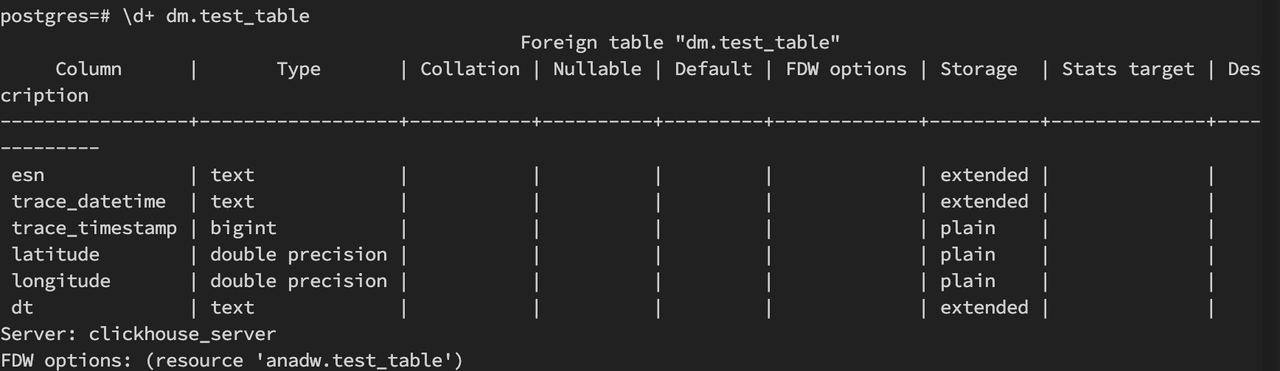
Create a foreign table:
CREATE FOREIGN TABLE dm.test_table (
  esn text,
  trace_datetime text,
  trace_timestamp bigint,
  latitude double precision,
  longitude double precision,
  dt text
)
SERVER clickhouse_server
OPTIONS (
  resource 'anadw.test_table'
);
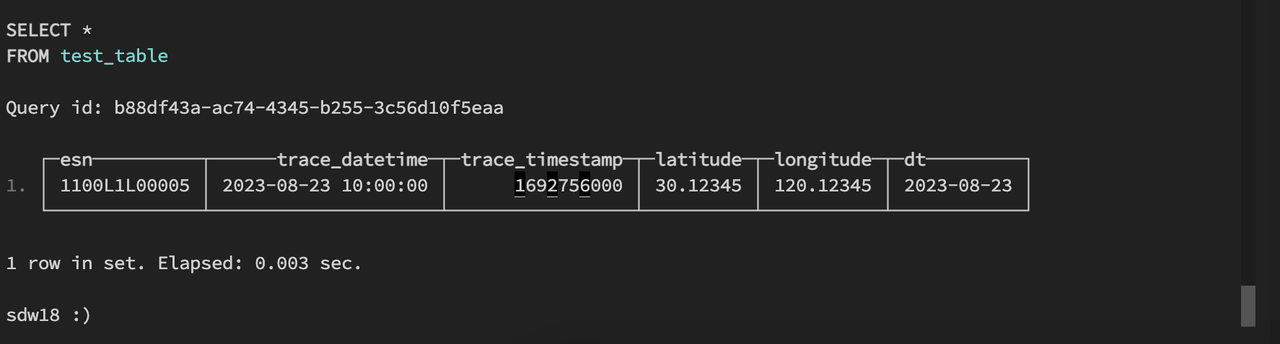
Verification successful; results are consistent.
On the YMatrix side:

On the ClickHouse side:
For ClickHouse, there are two types of drivers that require careful distinction:


